5 Steps To Build A Basic Fitness Tracker App From Scratch
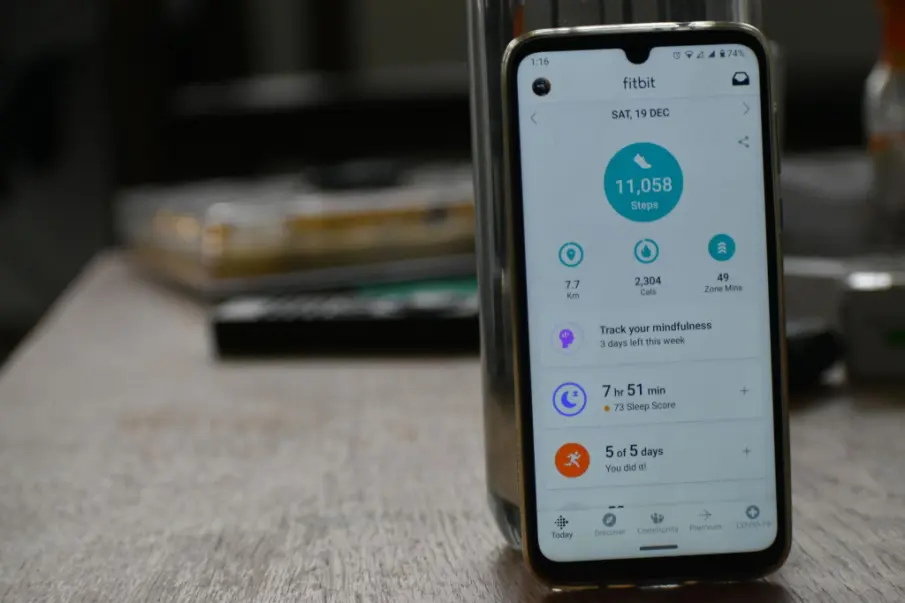
A basic fitness tracker does not need to act like a full wellness platform on day one. It needs one useful habit loop, clean data, and a reason to come back tomorrow. If you look at product thinking around https://topflightapps.com/ideas/healthcare-app-development/, you can see why teams in health mobile app development often move faster when they cut scope early. That same logic works here. A first release can start with sign-up, activity tracking, a daily goal, progress history, and clear permission screens. This article explains how to build that version from scratch without loading it with features people may never use.
Teams often slow themselves down before they write a line of code. They chase a bigger vision than the product needs. A simple tracker can be enough if it solves one real problem well. The hard part is staying focused when everyone wants more screens, more metrics, and more integrations.
The numbers support a simpler approach. WHO recommends that adults get at least 150 minutes of moderate physical activity a week. WHO also reported in 2024 that 31% of adults worldwide did not meet the recommended level in 2022. That means beginner-friendly products still matter. A sensible approach to healthcare app development starts with one clear user goal rather than a long feature wish list.
Step 1. Define The Core Use Case And The Main User Goal
The first question is simple: what is this app supposed to help people do every day? Count steps, log workouts, keep a streak, or follow a walking goal. Pick one. A broad answer results in a weak product because each screen ends up serving a different purpose.
This is where a practical mindset for healthcare app development helps. Start with the user, the daily action, and the outcome they want to see. A beginner may only care about daily steps and a weekly trend. Someone returning to exercise may want short workout logs and reminders. Once that promise is clear, it becomes easier to decide what belongs in the first version and what does not.
Step 2. Choose What Data The App Will Use And Where It Will Come From
Even a simple tracker depends on data choices. Some teams can rely on phone sensors. Others need Apple HealthKit, Android Health Connect, wearables, or manual input. Each option changes the product. It affects sync rules, permissions, error states, and user trust.
The platform rules are also clear. Apple HealthKit requires permission for each health data type an app wants to read or write. Android now centers Health Connect for health and fitness data access, with heavy emphasis on user-controlled permissions and data management. That is why a healthcare mobile app development guide is useful even for a lighter consumer product. Good health app development starts by deciding what the app reads, what it stores, and what the user can change later.
Step 3. Plan A Small MVP With Only The Features That Support Daily Use
A good MVP feels intentionally small. It should help people complete a single useful cycle: open the app, see today’s status, do the activity, and check their progress later. For many products, that means activity tracking, one daily or weekly goal, a home dashboard, a progress view, and maybe a reminder.
Extra features can wait. Coaching, nutrition logging, social challenges, and advanced analytics make the product harder to build and harder to understand. A narrow MVP is not weak. It is focused. During healthcare application development, a smaller scope usually means faster testing, fewer broken assumptions, and fewer places for the team to get stuck.
Step 4. Build The Main User Flows And Keep The Interface Easy To Follow
A first release should feel obvious. Users need to know what the app is tracking, where the number came from, and what they should do next. If the interface makes them guess, they will stop using it. Clarity matters more than decoration here.
That is also true in healthcare mobile app development. People trust simple products more when the data source is clear, and the next action is visible. If step counts are delayed or a workout log looks incomplete, the app should show that in a calm, readable way rather than hiding it behind fancy design.
The Only List In The Article Should Appear Here
The main flow can stay compact and still feel complete. A useful first version usually needs only five core screens:
- Onboarding that explains the app in plain language
- Permission screens linked to a clear benefit
- A dashboard with today’s progress
- A historical view with daily or weekly trends
- Settings for goals, reminders, and data sources
That structure gives the product a clean backbone. It is enough for daily use and for the team to test whether the habit loop works. The same lesson applies to medical app development: if the first version is easy to follow, it has a better chance of becoming part of someone’s routine.
Step 5. Test The App, Launch A Clean First Version, And Improve From Real Usage
A tracker can look ready and still fail in real life. Sync may lag. Permission flows may confuse people. A reminder may fire at the wrong time. The dashboard may make sense to the product team yet remain unclear to everyone else. That is why release work has to go beyond basic QA.
Teams should test data accuracy, onboarding clarity, crash reporting, and what happens when sensor access is missing. Real usage tells you more than internal debate ever will. Where do people stop during setup? How many return after day three? Which screen gets ignored? Those answers shape better decisions than guesswork. This matters in healthcare mobile application development, and it matters just as much when the product later expands into custom healthcare app development.

Common Mistakes That Make A Basic Fitness Tracker App Harder To Build
The biggest mistake is trying to make a basic tracker feel advanced too early. Teams borrow ideas from larger wellness apps and forget that those products were built over time. Another common problem is asking for too many permissions up front. That creates friction before the user sees any value.
There is also a positioning mistake. Some teams drift toward a clinical tone even though the product is just a consumer tracker. That raises the wrong expectations. A better route is to stay honest about the scope and solve one behavior problem well. Strong mobile health app development depends as much on restraint as on technical skill.
What Makes Health Mobile App Development Useful Enough To Grow
Growth comes from repeated use. People keep a tracker when it gives them one clear win and makes the next action easy. That could be a simple goal, a visible streak, or a weekly chart that feels encouraging instead of harsh. In 2022, the WHO estimated 1.8 billion adults were physically inactive. That is a large audience for products that reduce friction rather than add pressure.
This is also where the broader question of how to develop a healthcare app is especially relevant. The answer is not always more features. Sometimes it is cleaner permissions, calmer design, and stable data flows. Teams with experience in healthcare mobile app development, or with a medical software development company, usually learn this fast. The product grows when users trust it enough to keep opening it.
Conclusion
Building a basic fitness tracker from scratch gets easier when the team stays disciplined. Pick one use case. Choose the right data source. Keep the MVP small. Make the main screens easy to follow. Then launch, measure real behavior, and improve from there. That process is not flashy, but it saves time and cuts waste.
The bigger lesson is simple. A useful first release need not do everything. It needs a clear job, readable data, and a flow people can trust. That is the practical side of developing a health mobile app. And whether the long-term plan grows into broader healthcare mobile app development work or stays focused on one habit, the app will be stronger if it earns daily use before it asks for more.
More to Read:






Previous Posts: